

You send a video a few seconds long, and you get back angles and adjustment advice. In between, an artificial intelligence has watched the way you pedal, frame by frame. Here, in simple terms, is how this kind of analysis works and what Posturise gives you back.
In short
- The AI locates your joints in every frame of the video: shoulders, hips, knees, ankles, feet.
- It calculates angles between these points, over several pedal revolutions.
- It compares these angles with ideal ranges and works out advice on the saddle and handlebar.
- Only the central 10 seconds of your video are analyzed.
Contents
Step 1: a video split into frames
A video is just a series of still images, several dozen per second. In 10 seconds of pedalling, that means hundreds of frames, and several complete pedal revolutions. That is what makes it possible to measure a movement, not just a pose.
Posturise analyzes the central 10 seconds of your video: the beginning and end, when you are getting settled and stopping, are not taken into account. Hence the instruction to film 5 to 10 pedal revolutions.
Step 2: locating the joints
In each frame, a pose estimation model places points on the visible joints of the body. This type of model has learned, from a very large number of annotated images, to recognize where a shoulder, a hip or a knee is, even with different clothes, colours or lighting.
Joining these points draws a kind of skeleton that follows your movements, frame after frame. This is the skeleton you see on analysis videos.
Why framing matters so much
If a foot goes out of frame, if the camera faces into the light or if loose clothing hides the knee, the model places its points with less certainty. A good video means a more reliable measurement. All the instructions are in Filming a good posture analysis video.
Step 3: calculating the angles
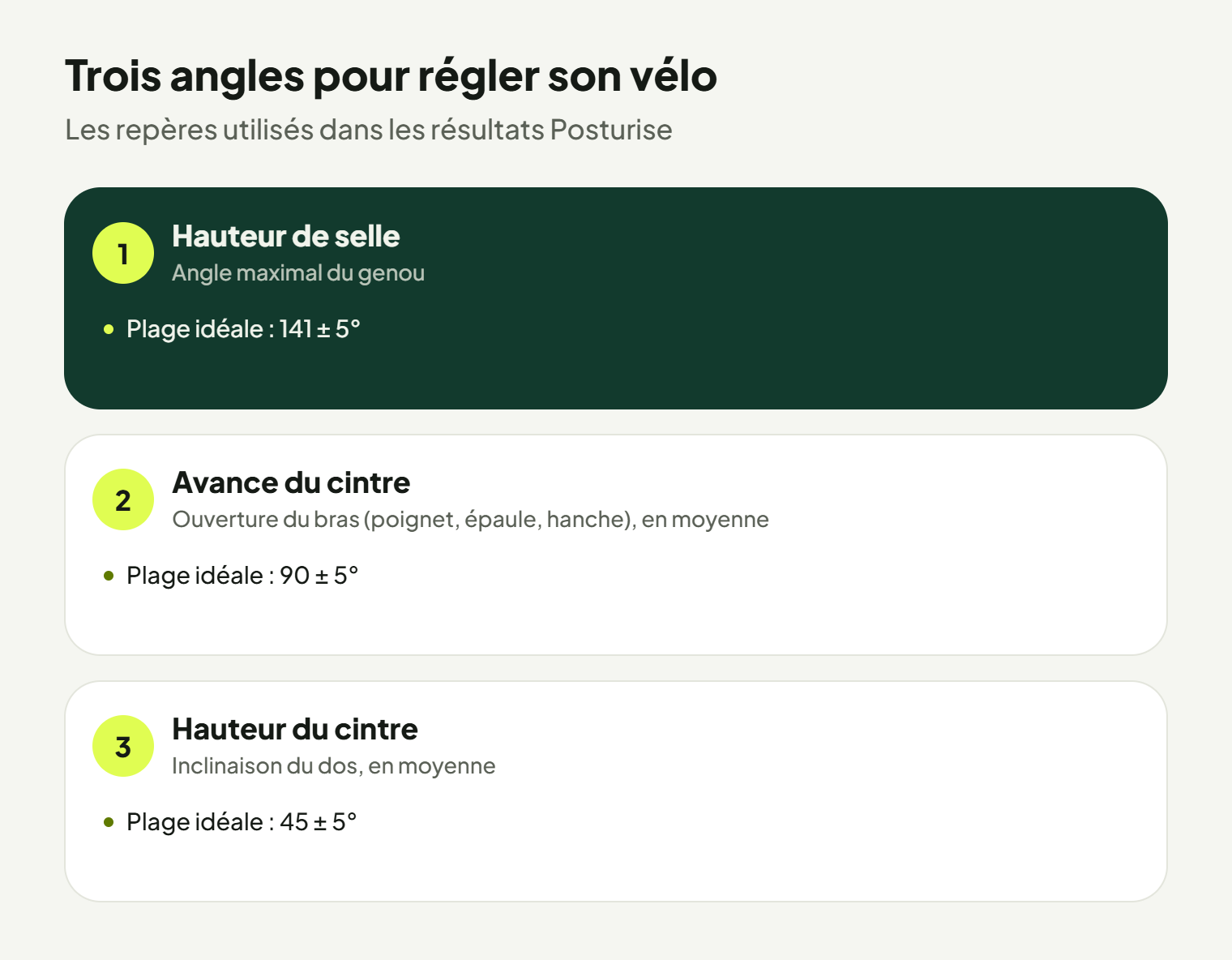
Three points are enough to measure an angle. Hip, knee and ankle give the knee angle; wrist, shoulder and hip give the arm opening; the shoulder-hip line gives the back inclination.
These angles change constantly while you pedal. The analysis therefore keeps the useful values across all the revolutions filmed: for example the maximum knee angle, when the leg is at its most extended, or the average back inclination.
Step 4: comparing with ideal ranges
Each angle is then compared with a reference range:
| Adjustment | What is measured | Ideal range |
|---|---|---|
| Saddle height | Maximum knee angle | 141 ± 5° |
| Handlebar reach | Arm opening, on average | 90 ± 5° |
| Handlebar height | Back inclination, on average | 45 ± 5° |
An angle outside the range shows which way to correct: saddle to raise or lower, handlebar to bring closer, to raise, and so on.
What you get
Posturise results cover in particular knee angle, foot position and aerodynamics. The analysis pays attention to the movements of your feet, knees, shoulders, pelvis and arms. It is translated into adjustment points for saddle and handlebar height.
You can do several sessions and compare them over time: after an adjustment, a new video shows whether the angle has moved into the ideal range. At busy times, results may take a little while.
Limitations to be aware of
- A side-on video only sees one side. An asymmetry between the two legs or a knee dropping in towards the frame is hard to see from the side.
- The analysis covers the saddle and handlebar. Cleats, pedals and crank length are outside the scope of the advice.
- An AI does not make a medical diagnosis. In case of persistent pain, advice from a health professional remains essential.
To compare with an in-person fit, read In-studio or online bike fitting: what really changes.
Frequently asked questions
Do I need sensors or markers on my body?
No. The analysis is done from a simple video filmed with a phone, with no sensors.
Why only 10 seconds?
Ten seconds contain several complete pedal revolutions, which is enough to measure reliable angles. The beginning and end of the video are discarded because people rarely pedal naturally there.
Is my video analyzed by a person?
The analysis is carried out by the Posturise AI from your video.